Embedding Model Configuration
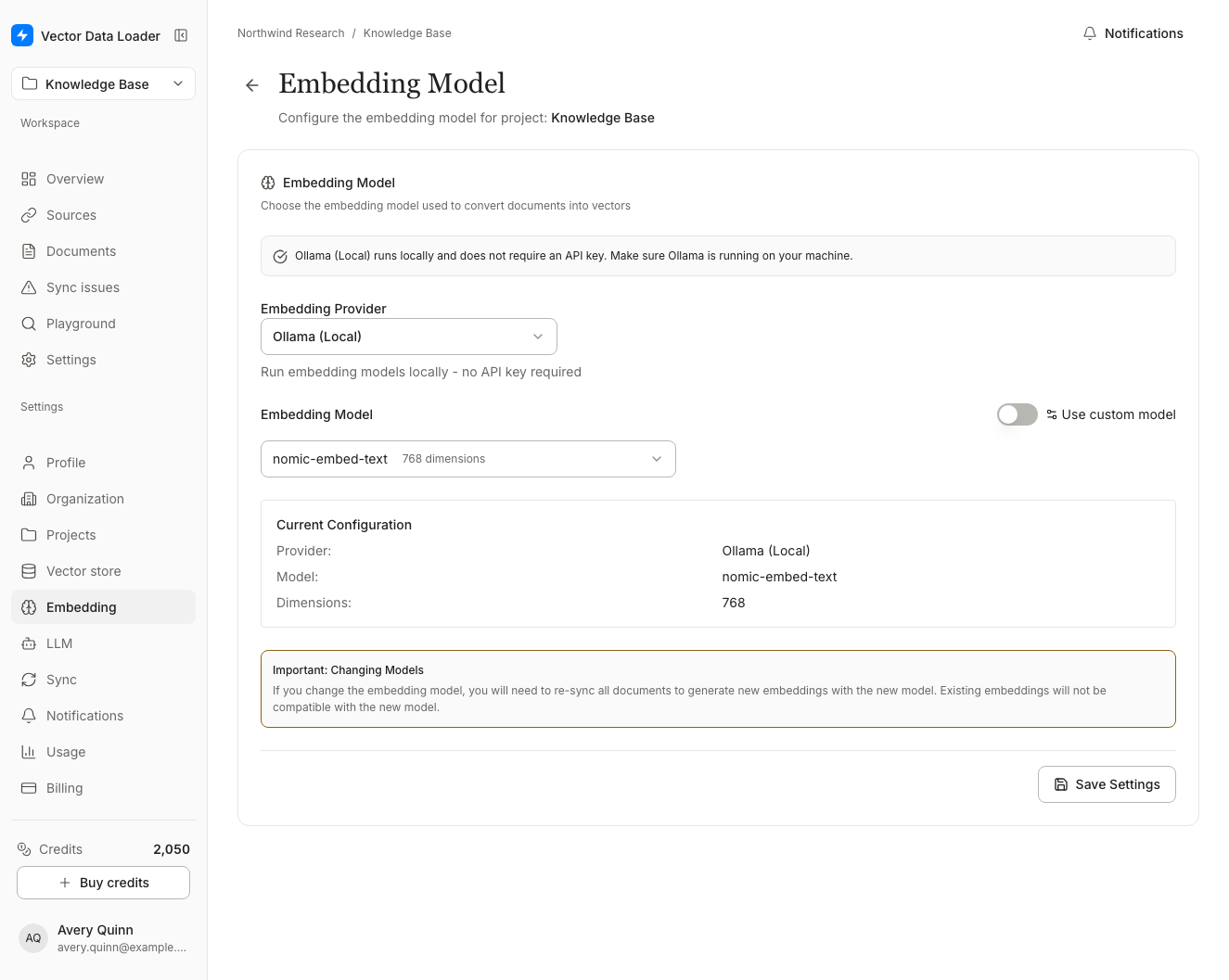
Embedding settings control how your documents are converted to vectors.
Available Providers
| Provider | Models | Notes |
|---|---|---|
| OpenAI | text-embedding-3-small, text-embedding-3-large, text-embedding-ada-002 | Most popular, high quality |
| Cohere | embed-english-v3.0, embed-multilingual-v3.0 | Good multilingual support |
| Gemini | Models available to the configured Google AI key | Live account catalog with a tested fallback |
| OpenRouter | OpenAI text-embedding-3-small and -large, Mistral Embed, BGE-M3 | One key for several model hosts |
| Hugging Face | BGE small, base and large (English), Granite Embedding 97M (multilingual) | Open models on Hugging Face's own inference host |
| Ollama | nomic-embed-text, mxbai-embed-large | Self-hosted, privacy-focused |
Embedding keys are separate from chat keys
The key you save on this page is used only for embeddings: syncing documents and searching them. The key on the LLM Model page is used only for chat and Enhanced sync. Each provider has its own key on each page, even when both use the same provider (for example OpenAI), and saving or removing a key on one page never changes the other.
Embedding keys used to share the chat key for the same provider. They are not carried over: if your project embeds with OpenAI, Cohere or Gemini, open this page and save the key again, or syncs and searches report API key is required. Website pages that failed during that time need to be queued again; other failed documents can be retried from Sync Issues.
Configuration Options
- Provider: Select your embedding service
- API Key: Enter your provider's API key and choose Save Key
- Model: Choose the specific embedding model
- Dimensions: For supported models, select output dimensions (768, 1536, or 3072)
Until you click Save Settings, the project uses OpenAI text-embedding-3-small, so an OpenAI key saved with Save Key is enough to sync and use the Playground. To use another provider, model or dimensions, click Save Settings before your first sync; changing them later requires a re-sync.
The dimensions option appears when you select a model that supports configurable output dimensionality. Gemini gemini-embedding-001 and gemini-embedding-2 support 768, 1536, and 3072 dimensions.
Choosing an Embedding Model
text-embedding-3-small (OpenAI)
- Dimensions: 1536
- Best for: General purpose, cost-effective
- Quality: High
text-embedding-3-large (OpenAI)
- Dimensions: 3072
- Best for: Maximum accuracy needs
- Quality: Highest
embed-multilingual-v3.0 (Cohere)
- Best for: Multi-language documents
- Supports: 100+ languages
OpenRouter Models
- Key: an OpenRouter key (
sk-or-…). Saving it checks the key with OpenRouter. - text-embedding-3-small: 512, 1024 or 1536 dimensions
- text-embedding-3-large: 256, 1024 or 1536 dimensions. Its native 3072 is too large for most vector stores, so it isn't offered.
- Mistral Embed and BGE-M3 (multilingual): 1024 dimensions
- Where your text goes: every synced document's text is sent to OpenRouter under your key, and OpenRouter forwards it to the model host your account allows.
- Credits: if your OpenRouter balance runs out, syncs report that the provider needs credits or a paid plan.
Hugging Face Models
- Key: a fine-grained Hugging Face token (
hf_…) with Make calls to Inference Providers permission. Saving it checks the token with Hugging Face. - BGE small and Granite Embedding 97M (multilingual): 384 dimensions; BGE base: 768; BGE large: 1024
- Custom models: enter any sentence-embedding model as
owner/namewith its dimensions. Models that return one vector per token aren't supported, and models that needquery:orpassage:prefixes aren't recommended. - Where your text goes: every synced document's text is sent to Hugging Face Inference Providers under your token. Usage is billed to your Hugging Face account.
Ollama Models
- Best for: Teams managing their own embedding service
- Requires: Ollama server reachable from the hosted app
Gemini Embedding Models
gemini-embedding-001
- Dimensions: 768 / 1536 / 3072 (configurable)
- Best for: Production text embedding with flexible dimensions
- Supports:
output_dimensionalityparameter
gemini-embedding-2
This is the current Gemini embedding generation and supports text and multimodal inputs. The model's Multimodal badge describes the provider capability; the shared document sync pipeline currently embeds text, including generated image descriptions.
Gemini Model Discovery
After a Gemini API key is saved, the page loads the embedding models available to that Google AI account. Refresh account models bypasses the short server cache. If Google is temporarily unavailable, the page labels and uses a tested fallback catalog.
Retired or inaccessible saved models remain visible as Unavailable so the required migration is explicit. They cannot be selected for a new configuration. text-embedding-004, embedding-001, and the Embedding 2 preview are no longer offered for new selections.
Safe Model Changes and Re-indexing
Changing the provider, model, dimensions, or retrieval behavior creates a different embedding fingerprint. When a project already contains documents:
- Review the document count and estimated credits in the confirmation dialog.
- Choose Save and re-index.
- Keep the progress window open or return later and choose Resume re-index.
- Retry failed documents until the page reports that the index is ready.
Search pauses during the transition. This prevents a query generated in the new embedding space from being compared with document vectors in the old space. Standard documents use 20 credits each; Enhanced documents use 40 credits each.
Vector indexes have a fixed dimension. A project containing documents cannot change dimensions in place. Create a new project or remove its documents before changing the configured dimension.
See Image Extraction and Searchable Descriptions for current behavior and prerequisites.